How Does The Steam Clean Work On A Samsung Oven Explained
The steam clean feature on a Samsung oven uses low heat and water vapor to loosen grease and food residue inside the oven cavity. It is a quick, eco-friendly alternative to the traditional self-clean cycle that runs at extremely high temperatures. Understanding how does the steam clean work on a Samsung oven helps you maintain your appliance with minimal effort and no harsh chemicals.
Samsung ovens come packed with smart features designed to make kitchen life easier. One of the most useful is the steam clean function. But how does the steam clean work on a Samsung oven exactly? And is it really better than the traditional self-clean option?
If you have been staring at a greasy oven interior and wondering what to do, you are not alone. Many Samsung oven owners skip the self-clean cycle because of the long wait times and high energy use. The steam clean option offers a faster, gentler way to keep your oven fresh and clean.
This guide breaks down everything you need to know. We will walk you through the science behind the steam clean cycle, show you how to use it step by step, and share practical tips to get the best results every time.
Key Takeaways
- Steam clean uses water and low heat: The Samsung steam clean cycle heats a small amount of water to create steam that softens baked-on grime.
- Much faster than self-clean: A steam clean cycle takes about 20-30 minutes, while the traditional self-clean can run for 2-4 hours.
- Energy efficient and safe: Steam clean uses less electricity and keeps the oven at a lower temperature, reducing fire risk.
- Best for light to moderate grime: Steam clean works well for routine maintenance but may not handle heavy, baked-on carbon deposits.
- No harsh chemicals needed: The steam alone breaks down grease and food particles naturally.
- Easy to use: Simply add water, select the steam clean setting, and let the oven do the work.
📑 Table of Contents
- What Is Steam Clean on a Samsung Oven?
- How the Steam Clean Cycle Works Step by Step
- Steam Clean vs Traditional Self-Clean on Samsung Ovens
- How to Use Steam Clean on Your Samsung Oven
- Tips for Best Results with Steam Clean
- Common Mistakes to Avoid When Using Steam Clean
- Maintaining Your Samsung Oven After Steam Cleaning
- When to Call a Professional for Samsung Oven Cleaning
- Final Thoughts
What Is Steam Clean on a Samsung Oven?
The steam clean feature is a built-in cleaning function found in many modern Samsung ovens. It uses a small amount of water and controlled heat to produce steam inside the oven cavity. This steam softens grease, food splatters, and baked-on residue so you can wipe them away easily.
Unlike the traditional self-clean cycle, which heats the oven to extreme temperatures around 900 degrees Fahrenheit, steam clean operates at much lower heat levels. This makes it safer, quieter, and far more energy efficient. Most Samsung steam clean cycles run for about 20 to 30 minutes.
The technology behind this feature is simple but effective. Water is placed in a special pan or tray inside the oven. The oven then heats the water just enough to produce steam without boiling it aggressively. The steam surrounds the interior walls and loosens the grime without harsh chemicals or abrasive scrubbing.
Steam clean is best suited for routine oven maintenance. If you clean your oven regularly, this feature can make deep scrubbing a thing of the past. It works especially well on fresh spills and light grease buildup that has not had time to harden into carbon deposits.
One of the biggest advantages of the Samsung steam clean option is that it eliminates the need for chemical oven cleaners. You do not have to spray harsh solutions inside your oven and worry about residue affecting your food. The steam does all the heavy lifting naturally.
How the Steam Clean Cycle Works Step by Step
Understanding the Samsung oven steam clean process helps you use it correctly and get the best results. Let us walk through exactly what happens when you start a steam clean cycle.
Step 1: Add Water to the Oven
First, you need to add water to the oven. Samsung ovens typically come with a dedicated steam tray or pan. You fill this tray with about one to two cups of regular tap water. Some models may have a specific water reservoir built into the floor of the oven.
Do not use too much water. The goal is to create steam, not to boil the oven. Excess water can drip onto the bottom of the oven and create a mess. A small amount is all you need to generate enough steam for the cleaning cycle.
Step 2: Close the Oven Door and Select Steam Clean
Next, close the oven door firmly. On most Samsung models, you will find the steam clean option on the control panel. It may be labeled as “Steam Clean” or appear as an icon on the digital display. Some models also have a steam clean button on the dial or touch screen.
Once you select the steam clean setting, the oven begins to heat the water to a controlled temperature. This is usually between 200 and 250 degrees Fahrenheit. The oven maintains this temperature for the duration of the cycle, which is typically around 20 to 30 minutes.
Step 3: Steam Loosens the Grime
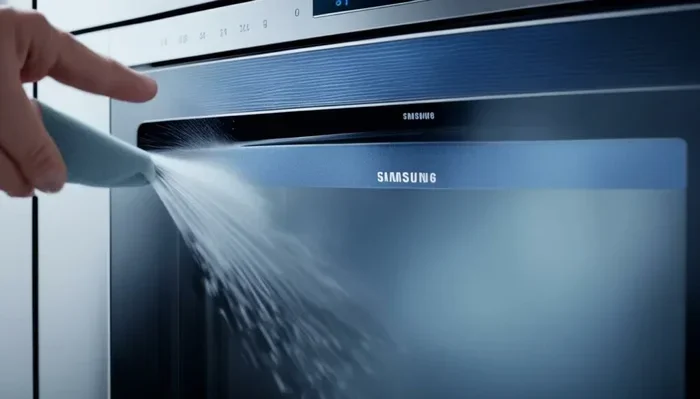
As the oven heats the water, steam fills the interior cavity. This steam penetrates the grease and food residue on the oven walls, floor, and ceiling. The moisture softens the grime and breaks down the bond between the food particles and the oven surface.
During this phase, you may notice some steam escaping from around the oven door seal. This is normal. The steam pressure inside the oven is gentle and designed to be safe. You should never open the door during the cycle because the escaping steam can burn you.
Step 4: Wipe Down the Interior
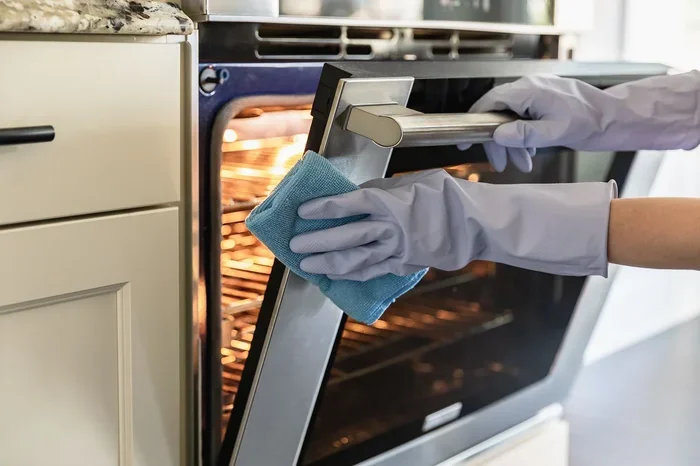
After the cycle completes, the oven will beep or signal that the steam clean is done. At this point, the interior will be warm but not hot enough to burn you. Remove the water tray carefully and use a soft, damp cloth to wipe down all the interior surfaces.
The softened grease and food residue should come off easily with gentle wiping. For any stubborn spots, use a non-abrasive sponge or cloth. You do not need to scrub hard because the steam has already done most of the work.
Step 5: Dry the Interior
Once you have wiped away all the grime, use a dry cloth to remove any remaining moisture from the oven interior. This prevents water spots from forming and helps the oven dry completely before you use it next. Leaving moisture inside can lead to rust or odors over time.
Steam Clean vs Traditional Self-Clean on Samsung Ovens
Most Samsung ovens offer two cleaning options: steam clean and self-clean. Understanding the differences helps you choose the right method for each situation.
The traditional self-clean cycle locks the oven door and heats the interior to extremely high temperatures, usually around 850 to 900 degrees Fahrenheit. At these temperatures, food residue and grease turn to ash, which you can then easily wipe away. This method is very effective for heavy, baked-on carbon deposits that have been sitting in the oven for weeks or months.
However, self-clean cycles have several downsides. They take a long time, often two to four hours. They use a significant amount of electricity. The high temperatures can produce smoke and odors, especially if there is a lot of residue. And in rare cases, the extreme heat can damage the oven’s interior components over time.
The steam clean option solves most of these problems. It runs for only 20 to 30 minutes, uses very little energy, and produces no smoke or strong odors. It is also much safer because the oven stays at a low temperature throughout the cycle.
That said, steam clean is not a replacement for self-clean in every situation. If you have heavy carbon buildup or a large amount of burnt-on food, the steam clean cycle may not be enough. In those cases, the traditional self-clean cycle is still the better option.
Comparison Table
| Feature | Steam Clean | Traditional Self-Clean |
|---|---|---|
| Cycle Duration | 20-30 minutes | 2-4 hours |
| Temperature | 200-250 degrees F | 850-900 degrees F |
| Energy Use | Low | High |
| Best For | Light to moderate grease | Heavy carbon buildup |
| Chemicals Needed | No | No |
| Door Lock Required | No | Yes |
| Smoke or Odors | Minimal | Can produce smoke |
| Safety Risk | Low | Moderate |
How to Use Steam Clean on Your Samsung Oven
Using the steam clean feature on your Samsung oven is straightforward. Here is a detailed walkthrough to help you get started.
Before You Begin
Make sure your oven is cool before starting the steam clean cycle. Remove any oven racks, baking stones, or other accessories from the interior. These items should not be cleaned in the steam clean cycle because they can block the steam from reaching the oven surfaces.
Check your oven manual for specific instructions. Some Samsung models have slightly different procedures for adding water and starting the cycle. The manual will also tell you if your model has a dedicated steam tray or if you need to place a shallow pan on the bottom rack yourself.
Running the Cycle
Fill the steam tray with one to two cups of water. Place it on the bottom of the oven or in the designated reservoir. Close the door securely. Navigate to the steam clean setting on the control panel and press start.
During the cycle, do not open the oven door. The steam needs to stay inside the cavity to work effectively. Let the oven complete the full cycle without interruption.
Once the cycle ends, wait about five minutes before opening the door. This gives the oven time to cool slightly and allows the steam to settle. Then carefully remove the water tray and wipe the interior with a soft cloth.
After the Cycle
After wiping down the interior, inspect the oven for any remaining residue. If you find stubborn spots, apply a small amount of water to the area and let it sit for a few minutes before wiping again. For really tough spots, a paste made from baking soda and water can help. Apply the paste, let it sit for 10 minutes, and then wipe it away with a damp cloth.
Replace the oven racks once the interior is completely dry. Your oven is now ready for its next use.
Tips for Best Results with Steam Clean
Getting the most out of your Samsung oven’s steam clean feature comes down to a few simple habits and best practices.
Clean your oven regularly. The more often you use the steam clean cycle, the easier each cleaning session becomes. If you clean your oven every one to two weeks, grease and food residue never have a chance to build up into stubborn deposits.
Use distilled water if possible. Tap water can leave mineral deposits inside the oven over time. Distilled water reduces this risk and keeps your oven interior cleaner for longer.
Add a splash of vinegar for extra cleaning power. If your oven has moderate grease buildup, try adding a tablespoon of white vinegar to the water tray. The vinegar reacts with the steam and helps break down grease more effectively.
Wipe the oven door glass too. The steam clean cycle cleans the interior walls, but the door glass can get dirty as well. After the cycle, wipe the inside of the door glass with a damp cloth to remove any loosened residue.
Do not skip the drying step. Leaving moisture inside the oven after cleaning can lead to water spots, rust, or unpleasant odors. Always dry the interior thoroughly before closing the door.
Use the steam clean after cooking. If you have a spill or splatter, clean it up as soon as the oven cools down. Fresh spills respond much better to steam clean than old, hardened residue.
Common Mistakes to Avoid When Using Steam Clean
Even though the steam clean feature is simple to use, there are a few mistakes that can reduce its effectiveness or even damage your oven.
Using too much water. Overfilling the water tray can cause water to overflow inside the oven. This creates a mess and can damage the oven’s heating elements. Stick to the recommended one to two cups.
Starting the cycle on a hot oven. Always let the oven cool completely before adding water and starting the steam clean. Adding water to a hot oven can cause thermal shock, which may damage the interior surfaces.
Forgetting to remove oven racks. Racks can block the steam from reaching the oven walls and floor. They may also warp or discolor if exposed to the steam cycle. Always remove them before starting.
Expecting steam clean to handle heavy buildup. Steam clean works best for light to moderate cleaning. If your oven has weeks of baked-on grime, the steam alone may not be enough. You may need to run the traditional self-clean cycle or use a manual scrubbing method.
Opening the door during the cycle. This releases the steam and reduces the cleaning effectiveness. It also increases the risk of burns from escaping steam. Wait for the cycle to finish completely before opening the door.
Not cleaning the water tray after use. Residue from the steam can build up in the tray over time. Empty and rinse the tray after each steam clean cycle to keep it in good condition.
Maintaining Your Samsung Oven After Steam Cleaning
Once you have cleaned your oven with the steam clean feature, a little maintenance goes a long way toward keeping it in great shape.
After each steam clean session, give the interior a quick visual inspection. Look for any areas where grease or residue is still present. Addressing these spots immediately prevents them from building up over time.
Keep the oven door seal clean. The rubber gasket around the door can collect grease and food particles. Wipe it down with a damp cloth after each steam clean to maintain a proper seal. A good seal ensures the oven heats efficiently and keeps steam contained during the cleaning cycle.
Clean the oven racks separately. You can wash them in warm soapy water or place them in the dishwasher if the manufacturer recommends it. Clean racks help the oven heat evenly and prevent grease from dripping back onto the oven floor.
Consider using oven liners on the bottom of the oven. These liners catch spills and drips before they can bake onto the oven floor. With regular use of oven liners, your steam clean cycles become even faster and more effective.
When to Call a Professional for Samsung Oven Cleaning
There are times when the steam clean feature alone is not enough. If your oven has heavy carbon buildup that does not respond to multiple steam clean cycles, it may be time to seek professional help.
Also, if you notice any unusual smells, smoke, or error codes during the steam clean cycle, stop using the feature and contact a qualified technician. These could be signs of an electrical issue or a malfunctioning heating element.
Professional oven cleaning services have access to heavy-duty equipment and industrial-grade cleaning solutions that can tackle even the most stubborn oven grime. Scheduling a professional cleaning once or twice a year can complement your regular steam clean routine and keep your oven performing at its best.
Regular maintenance is the key to a long-lasting Samsung oven. By combining the steam clean feature with good cleaning habits, you can keep your oven looking and working like new for years to come.
Final Thoughts
The steam clean feature on Samsung ovens is a game changer for kitchen maintenance. It offers a fast, safe, and chemical-free way to keep your oven clean without the hassle of the traditional self-clean cycle. Understanding how does the steam clean work on a Samsung oven empowers you to use this feature effectively and get the best results every time.
With just a few minutes of your time and a cup of water, you can keep grease and food residue under control. Regular use of the steam clean cycle makes deep cleaning sessions less frequent and much easier. Your oven stays fresh, your kitchen smells better, and you save energy in the process.
Make steam clean part of your routine oven care. It is one of the simplest and most effective ways to maintain your Samsung oven and enjoy cooking in a clean, healthy environment every day.
Frequently Asked Questions
How long does the steam clean cycle take on a Samsung oven?
The steam clean cycle on most Samsung ovens takes between 20 and 30 minutes to complete. This is significantly faster than the traditional self-clean cycle, which can run for two to four hours. The exact duration may vary slightly depending on your specific Samsung oven model.
Can I use steam clean every time I cook?
Yes, you can use the steam clean feature after every cooking session if you want to maintain a spotless oven. Because the cycle is short and uses low heat, it is safe to run frequently. Regular use prevents grease and food residue from building up into stubborn deposits that are harder to remove later.
Do I need to use any cleaning products with the steam clean cycle?
No, you do not need any cleaning products. The steam clean cycle uses only water and low heat to loosen grease and food residue. However, adding a tablespoon of white vinegar to the water tray can boost the cleaning power for moderate grease buildup. Avoid using chemical oven cleaners alongside the steam clean feature.
Why is my Samsung oven steam clean not working properly?
If the steam clean cycle is not working, check a few things first. Make sure the water tray is filled with the correct amount of water and is placed in the right position. Ensure the oven door is closing properly and the seal is intact. If everything looks correct but the cycle still does not work, consult your oven manual or contact Samsung customer support for troubleshooting help.
Is steam clean safe for all Samsung oven models?
The steam clean feature is available on many Samsung oven models, but not all of them. Check your oven’s control panel or user manual to confirm that your specific model includes the steam clean option. If your model does not have this feature, you can still clean the oven manually using warm water, baking soda, and a soft cloth.
Can I leave the oven racks inside during the steam clean cycle?
No, you should always remove the oven racks before starting the steam clean cycle. Racks can block the steam from reaching the oven walls and floor, reducing the cleaning effectiveness. They may also retain moisture and develop spots or discoloration if left inside during the cycle. Wash the racks separately in warm soapy water.