How To Unlock Microwave Oven And Solve The Problem
Dealing with a locked microwave can be frustrating, but the good news is that most lock issues are easy to fix at home. This guide walks you through how to unlock microwave oven models from different brands using simple methods. You will learn the common causes of a locked microwave, step-by-step unlocking techniques, and tips to prevent the problem from coming back.
There are few things more annoying than standing in front of your microwave, ready to heat up your food, only to find that the door is stuck locked. Whether the control panel is unresponsive or the door simply will not open, a locked microwave can bring your kitchen routine to a halt. The good news is that this is a common problem with straightforward solutions. In this guide, we will walk you through everything you need to know about how to unlock microwave oven units safely and quickly.
We will cover the most common reasons microwaves get locked, the step-by-step methods to unlock them, and simple tips to prevent the issue from happening again. Whether you have a small countertop model or a large over-the-range unit, the advice here applies to most brands and types. Let us get your microwave working again so you can get back to cooking your favorite meals without any stress.
Key Takeaways
- Child Lock Is the Most Common Cause: Most modern microwaves have a child lock feature that can accidentally activate and lock the controls and door.
- Power Interruptions Trigger Lock Mode: A power outage or surge can cause your microwave to enter a locked state as a safety measure.
- Resetting the Microwave Solves Most Issues: Unplugging the unit for 30 seconds or pressing specific button combinations can unlock most microwave models.
- Check the Door Latch and Switch: A damaged door latch or faulty interlock switch is a physical reason your microwave may not unlock.
- Know When to Call a Pro: If basic reset methods fail, the interlock switch or control panel may need professional inspection and replacement.
- Prevention Is Simple: Regular cleaning and careful button use can help you avoid most microwave lock problems.
📑 Table of Contents
Why Does Your Microwave Get Locked?
A locked microwave is not always a sign of a serious problem. In most cases, it is a safety feature working exactly as it should. Understanding why your microwave locks up is the first step toward fixing it. Let us look at the most common reasons this happens.
Child Lock Activation
The child lock feature is designed to prevent young children from operating the microwave. When activated, the controls become unresponsive and the door may appear stuck. This feature is very common on modern microwaves from brands like Panasonic, Samsung, LG, and Whirlpool. Many people accidentally trigger the child lock by pressing a specific button combination. If your microwave suddenly stopped responding to buttons, the child lock is the most likely culprit.
Power Outages and Electrical Surges
A sudden power loss or electrical surge can cause your microwave to enter a protective locked state. When the power comes back, the unit may not respond normally. This is a safety mechanism built into the microwave control panel to prevent malfunctions after an electrical event. A power outage microwave lock is more common than most people realize, especially during storms or when there is a problem with your home electrical system.
Faulty Door Latch Mechanism
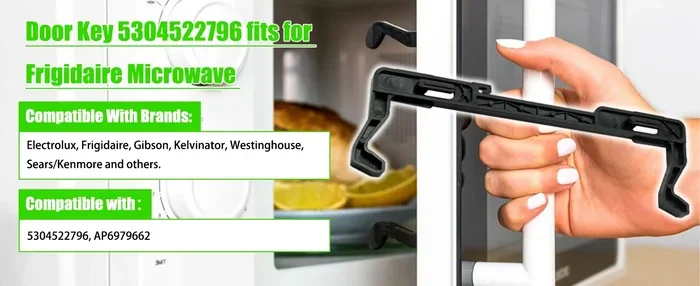
The door latch is what keeps the microwave sealed during operation. Over time, the latch can wear out, get misaligned, or become stuck. When the latch mechanism fails, the microwave may not recognize that the door is properly closed, which can trigger a lock or error display. A damaged door latch mechanism is one of the most common physical reasons a microwave will not unlock.
Control Panel Malfunction
Sometimes the problem is with the microwave control panel itself. Spills, moisture, or general wear and tear can cause the panel to malfunction. When the control panel does not work correctly, it may display error codes or refuse to respond to any input, including unlock commands. This type of issue is more common in older microwaves or units that have been exposed to a lot of steam and grease.
Interlock Switch Failure
Every microwave has an interlock switch that ensures the door is fully closed before the oven operates. If this switch breaks or gets stuck, the microwave may not unlock even when the door is open. The interlock switch is a critical safety component, and when it fails, it needs to be replaced. This is not a DIY fix for most people, so keep reading to find out when you should call a professional.
How To Unlock Microwave Oven: A Step-by-Step Guide
Now that you understand why microwaves get locked, let us walk through the actual steps to unlock them. These methods work for most brands and models. Start with the first method and move down the list if it does not work.
Method 1: The Simple Reset
The easiest and most effective way to unlock a microwave is to perform a full reset. This clears any temporary error codes or lock modes that the microwave may have entered. Here is what to do:
- Unplug the microwave from the wall outlet.
- Wait for at least 30 seconds. This gives the internal capacitors time to discharge and the control board to reset.
- Plug the microwave back in.
- Check if the lock symbol or error code is gone.
- Try opening the door and pressing a few buttons to test the controls.
This simple reset microwave method works for the majority of lock issues. It takes less than a minute and requires no tools or technical knowledge.
Method 2: Button Combination to Disable Child Lock
If the simple reset did not work, your microwave may be in child lock mode. Most brands use a specific button combination to disable this feature. Here are the most common ones:
- Samsung: Press and hold the Child Lock button for 3 to 5 seconds. On some models, hold the Stop/Reset and Oven Light buttons together.
- LG: Press and hold the Cancel button for 3 seconds. Some models require holding the Clear/Off button.
- Panasonic: Press and hold the Start button for 5 seconds. The lock symbol should disappear from the display.
- Whirlpool: Hold the Cancel button for 3 to 5 seconds until you hear a beep.
- GE: Press and hold the Clear/Off button for 5 seconds.
If you are not sure which combination to use, check your microwave manual. You can also search online for your specific model number. The lock symbol microwave display will usually disappear once the child lock is successfully disabled.
Method 3: Check for Error Codes
Many modern microwaves display error codes when something is wrong. These codes can help you identify the exact problem. Common error codes related to locking issues include:
- E0 or F0: Control panel error, often related to a stuck button or lock mode.
- E1 or F1: Door lock sensor error. The microwave cannot detect whether the door is open or closed.
- E2 or F2: Overheating error, which can trigger a safety lock.
- PF: Power failure code. This appears after a power outage and usually clears after a reset.
If you see any of these codes, try resetting the microwave first. If the code returns, the issue may be more serious and require further troubleshooting or professional help.
Method 4: Force Unlock by Holding Buttons
Some microwave models allow you to force unlock by holding down specific buttons simultaneously. Try pressing and holding the following combinations for 5 to 10 seconds:
- Cancel and Start buttons together
- Stop and Oven Light buttons together
- Clear and Off buttons together
- All three buttons on the right side of the panel at the same time
When you do this correctly, the microwave should beep or display a message confirming that the lock has been released. This method is especially useful when the microwave control panel seems completely frozen.
Method 5: Clean the Control Panel and Door Area
Sometimes the issue is not a software lock but a physical one. Food spills, grease, and moisture around the control panel or door latch can cause the microwave to malfunction. Here is what to do:
- Wipe down the control panel with a damp microfiber cloth.
- Clean around the door edges and latch area carefully.
- Check for any food debris stuck in the door seal or latch.
- Dry everything thoroughly before plugging the microwave back in.
Regular cleaning of your microwave goes a long way in preventing lock issues. A dirty microwave is more likely to have sticky buttons and misaligned latches that trigger lock mode.
Common Reasons Your Microwave Door Won’t Open
Sometimes the microwave is unlocked but the door still will not open. This is a different problem that requires a slightly different approach. Here are the most common reasons a microwave door gets stuck.
Dish or Container Blocking the Latch
This sounds obvious, but it happens more often than you would think. A small plate, utensil, or piece of food can get stuck in the door latch area and prevent the door from opening. Open the microwave and look inside the door frame. Remove any objects that might be blocking the latch from releasing.
Worn Out Door Hinges
Over time, the hinges on your microwave door can wear out or become loose. When this happens, the door may not align properly with the latch, making it impossible to open. If you notice that the door sags or does not sit evenly, the hinges may need to be tightened or replaced. This is a simple fix for a technician but not something you should attempt yourself unless you have experience with appliance repair.
Spring Mechanism Failure
The microwave door has small springs that help it open and close smoothly. If a spring breaks, the door may feel stuck or heavy. You can usually hear a rattling sound if a spring is broken. Replacing a spring is inexpensive, but it requires opening up the microwave casing, which should be done by a professional.
Microwave Was Moved or Bumped
If you recently moved the microwave or it was bumped during cleaning, the door alignment can shift slightly. This can cause the latch to not engage or release properly. Try pushing the microwave back into its exact position and see if the door opens more easily.
Quick Tips To Prevent Microwave Lock Issues
Prevention is always better than cure. Here are some simple tips to help you avoid microwave lock problems in the future:
- Clean your microwave regularly: Wipe down the control panel and door area at least once a week to prevent buildup that can cause sticky buttons and latch issues.
- Be gentle with the door: Slamming the microwave door can damage the latch and interlock switch over time. Always close the door gently.
- Know your child lock button: Familiarize yourself with how to activate and deactivate the child lock on your specific model. This prevents accidental lock activation.
- Use a surge protector: Plugging your microwave into a surge protector can help prevent power surges from triggering lock modes or damaging the control panel.
- Read the manual: Your microwave manual has specific instructions for lock features and troubleshooting. Keep it handy or save a digital copy.
- Do not use the microwave with a damaged door: A cracked or damaged door can cause alignment issues that lead to lock problems and safety hazards.
- Perform monthly resets: Unplugging the microwave for 30 seconds once a month can help clear any minor glitches before they become bigger problems.
When To Call A Professional For Help
Most microwave lock issues can be resolved with the methods described above. However, there are situations where you should call a professional for help. Do not attempt to open up the microwave or replace internal parts yourself. Microwaves contain high-voltage components that can be dangerous even when unplugged.
Call a professional if:
- The microwave still will not unlock after trying all the reset methods.
- You see or smell burning coming from the unit.
- The microwave display blank or shows persistent error codes after a reset.
- The door latch is visibly damaged or broken.
- The microwave makes unusual sounds when you try to open or close the door.
- The interlock switch needs to be tested or replaced.
A qualified appliance repair technician can safely diagnose and fix internal issues. They have the right tools and replacement parts for your specific model. If your microwave is still under warranty, contact the manufacturer before hiring a third-party repair service. Attempting DIY repairs on a warranty-covered unit can void your warranty.
When looking for help, search for kitchen appliance repair services in your area. Always choose a licensed and insured technician with good reviews. Ask for an estimate before any work is done, and make sure they have experience with your specific microwave brand.
Final Thoughts
Learning how to unlock microwave oven units is a useful skill that can save you time, money, and frustration. Most lock issues are caused by the child lock feature, power interruptions, or minor control panel glitches. With the step-by-step methods in this guide, you should be able to fix the problem quickly at home. Remember to try the simple reset first, then move on to button combinations and error code checks.
Prevention plays a big role too. Regular cleaning, gentle door use, and occasional resets can keep your microwave running smoothly for years. If the problem persists or you notice physical damage, do not hesitate to call a professional. Your safety always comes first when dealing with kitchen appliances.
We hope this guide has helped you solve your microwave lock problem. Share it with friends and family who might be dealing with the same issue. A working microwave is an essential part of any kitchen, and now you have the knowledge to keep it running without any hassle.
Frequently Asked Questions
Why is my microwave locked and not responding to any buttons?
This is usually caused by the child lock feature being accidentally activated or a power surge triggering a safety lock. Try unplugging the microwave for 30 seconds and plugging it back in. If that does not work, try the button combination for your specific brand to disable the child lock.
How do I know if my microwave door latch is broken?
Signs of a broken door latch include the door not closing properly, a clicking or grinding sound when opening or closing, and the microwave not starting even when the door appears shut. You may also see visible damage or misalignment on the latch mechanism. In these cases, it is best to call a professional technician.
Can a power outage cause my microwave to lock up?
Yes, a power outage or electrical surge can cause your microwave to enter a locked state as a safety precaution. This is a common issue with power outage microwave units. Simply resetting the microwave by unplugging it for 30 seconds usually resolves this type of lock.
Is it safe to use a microwave with a stuck lock?
No, you should not use a microwave if the lock is stuck and the door does not open or close properly. A malfunctioning lock can be a safety hazard. It is best to troubleshoot the issue using the methods in this guide or contact a professional for repair.
How much does it cost to fix a microwave lock issue?
Simple fixes like resetting the microwave or disabling the child lock cost nothing. If the interlock switch or door latch needs to be replaced, the cost typically ranges from $50 to $150 for parts and labor. The exact cost depends on your microwave brand, model, and the severity of the damage.
What should I do if the lock symbol keeps coming back after I unlock the microwave?
If the lock symbol keeps returning, the control panel may be malfunctioning or there could be an underlying electrical issue. Try a full reset first. If the problem persists, check for error codes on the display. If you cannot resolve it, contact a professional technician to inspect the control panel and electrical components.