How To Self Clean Samsung Oven Everything You Need To Know
Discover everything you need to know about how to self clean Samsung oven safely and effectively. This guide walks you through the pyrolytic self-cleaning cycle, from preparation to post-cleanup. You’ll learn how to remove racks, run the cycle, and wipe away residue for a spotless oven without harsh chemicals.
Learning how to self clean Samsung oven is a game-changer for any home cook. The built-in pyrolytic cycle uses extreme heat to turn grease and food spills into easy-to-wipe ash. You’ll save time, avoid harsh chemicals, and keep your oven smelling fresh. This guide covers everything from preparation to post-cleanup, so you can confidently run your first self-clean cycle. By the end, you’ll know exactly how to maintain a spotless Samsung oven with minimal effort.
Samsung ovens are designed with convenience in mind. The self-clean feature is a standout, but many people hesitate to use it. They worry about smoke, odors, or damaging the appliance. In reality, the process is simple and safe when you follow the right steps. This article walks you through the entire how to self clean Samsung oven journey, from start to finish. You’ll learn how to prepare the oven, run the cycle, and handle the residue afterward. I’ll also share common mistakes to avoid and maintenance tips to keep your oven in top shape. Let’s dive in and make your oven sparkle.
Key Takeaways
- Know Your Self-Clean Mode: Samsung ovens use a high-heat pyrolytic cycle that burns off grease and food spills into ash.
- Preparation Is Crucial: Always remove oven racks, baking stones, and any loose debris before starting the self-clean cycle.
- Ventilate Your Kitchen: Open windows and turn on the range hood to manage smoke and odors during the cleaning process.
- Never Leave It Unattended: The door locks automatically, but you should stay nearby and keep pets and children away.
- Wipe Down After Cooling: Once the oven cools completely, use a damp cloth to remove the white ash residue.
- Avoid Commercial Cleaners During Self-Clean: The pyrolytic cycle handles all residue; using chemicals can damage the interior and produce harmful fumes.
📑 Table of Contents
- What Is the Self-Clean Feature on a Samsung Oven?
- Preparing Your Samsung Oven for Self-Cleaning
- How To Self Clean Samsung Oven: The Complete Process
- After the Self-Clean Cycle: Cleaning Up the Residue
- Common Mistakes to Avoid When Self-Cleaning Your Samsung Oven
- Maintaining a Sparkling Samsung Oven Between Self-Cleaning Sessions
- Keep Your Samsung Oven Pristine with Regular Self-Cleaning
What Is the Self-Clean Feature on a Samsung Oven?
The self-clean feature is a built-in function that uses high heat to burn off food residue. Samsung ovens typically use a pyrolytic cleaning method. This process heats the oven interior to around 900°F (480°C). At that temperature, organic matter like grease and food bits turns into ash. You then wipe away the ash with a damp cloth. It’s a hands-off way to deep clean your oven without scrubbing.
How Does Pyrolytic Cleaning Work?
Pyrolytic cleaning relies on extreme heat. The oven locks the door and raises the temperature gradually. The cycle can last 2 to 4 hours, depending on the model. During this time, the oven vents smoke and odors outside through a cooling fan. The interior surfaces become coated with a layer of ash. This ash is loose and easy to remove once the oven cools. The process destroys bacteria and deodorizes the oven. It’s an effective way to handle baked-on grime that normal scrubbing can’t touch. The self-cleaning process saves you from using abrasive pads or toxic sprays.
Quick Tips: Always check your oven model’s manual for specific cycle times. Some newer Samsung models offer a steam-clean option for lighter messes. The pyrolytic cycle is best for heavy buildup, while steam clean works well for regular maintenance.
Preparing Your Samsung Oven for Self-Cleaning
Proper preparation is the key to a successful self-clean cycle. Skipping steps can lead to smoke overflow or damage to parts. Follow these steps to get your oven ready.
Remove Racks and Accessories
Take out all oven racks, baking stones, and thermometers. These items can warp under the extreme heat of the pyrolytic cycle. Racks should be cleaned separately by hand or in a dishwasher. Use a cleaning solution with warm water and a bit of dish soap. Soak stubborn spots before scrubbing. Never place racks inside during the self-clean cycle. The high heat can discolor or distort them permanently. If you have a rack with a non-stick coating, hand-wash it gently to preserve the finish.
Clear the Interior
Before starting the cycle, wipe up any large food spills or loose crumbs. A damp cloth works well for this. You don’t need to scrub deeply. Just remove the bulk of the mess. This helps reduce smoke during the self-cleaning process. It also prevents burnt-on particles from creating a stronger odor. A quick pre-wipe makes the final ash cleanup much easier. Think of it as clearing the stage before the main event.
Ventilate Your Kitchen
Open windows and turn on the range hood. The self-clean cycle will produce smoke and some odor. Good ventilation helps clear the air quickly. If your kitchen has a window fan, aim it outward. This prevents smoke from spreading to other rooms. Keeping the area well-ventilated also reduces the risk of lingering smells. It’s a simple step that makes the whole process more comfortable. The range hood should be on high speed before you press start.
Expert Insight: Appliance technicians recommend running the self-clean cycle when you’re home and the kitchen is well-ventilated. If you have a windowless kitchen, consider using a portable fan near the oven door to help draw smoke out.
How To Self Clean Samsung Oven: The Complete Process
Running the self-clean cycle is straightforward. Samsung ovens have a dedicated self-clean setting on the control panel. Here’s the step-by-step process.
- Close the oven door completely. Make sure it latches securely. The door lock mechanism activates during the cycle.
- Select the self-clean setting. Turn the dial or press the button labeled “Self Clean.” Some models have a timer dial; others use a digital display.
- Set the cleaning time. Most Samsung ovens offer 2-hour, 3-hour, or 4-hour cycles. Choose based on how dirty the oven is. A light soil level might need only 2 hours, while heavy grease may require the full 4 hours.
- Press Start. The oven will begin heating up. You’ll hear a fan running. The door will lock automatically once the target temperature is reached.
- Wait for the cycle to finish. Do not open the door during the cycle. The oven will cool down on its own after the cleaning phase. The lock will release once the interior drops to a safe temperature.
The entire process takes about 3 to 5 hours, including the cool-down period. While it runs, stay in the kitchen and monitor for any unusual smoke. If smoke becomes excessive, you can turn off the oven and let it cool. Never use water or spray cleaners while the cycle is running.
Understanding the Control Panel
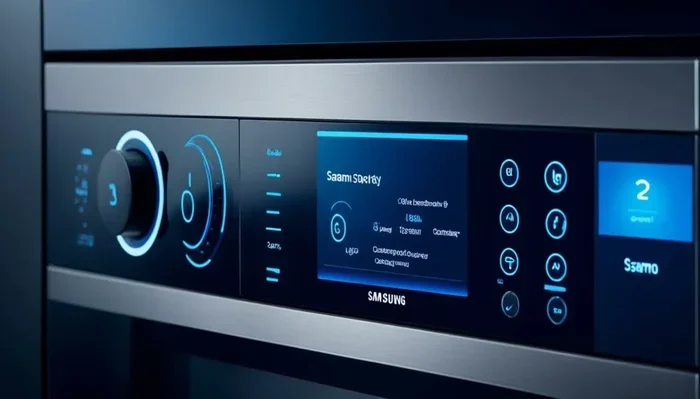
The control panel on Samsung ovens usually features a dedicated “Self Clean” button. On models with a rotary dial, you’ll turn the dial to the self-clean symbol, which often looks like a flame inside a circle. Digital models may let you select a specific cycle length. Always refer to your owner’s manual if you’re unsure. The self-clean setting is designed to be simple, but knowing where it is saves time.
Safety Precautions During the Cycle
- Never leave the oven unattended during the self-clean cycle. While the door is locked, you should monitor it for any unusual smoke or smells.
- Keep pets and children away from the kitchen. The exterior can become hot, and smoke may trigger sensitive noses.
- Do not use any oven cleaner during the self-clean cycle. The pyrolytic process will burn off residue, and chemicals can create toxic fumes.
- Ensure the ventilation is on before starting. The range hood should be running at high speed.
| Soil Level | Cycle Time | Temperature | Best For |
|---|---|---|---|
| Light | 2 hours | 900°F (480°C) | Minor spills and light grease |
| Medium | 3 hours | 900°F (480°C) | Regular baked-on grime |
| Heavy | 4 hours | 900°F (480°C) | Heavy grease and months of buildup |
Key Takeaway: Choosing the right cycle time prevents unnecessary energy use and reduces smoke. A light soil cycle is perfect for weekly maintenance, while a heavy cycle is best for deep cleaning every few months.
Expert Insight: According to appliance technicians, the self-clean cycle is safest when the oven is not overloaded with food residue. Running it every 3 to 6 months prevents heavy buildup and reduces smoke. If your oven produces excessive smoke, it may indicate a failing heating element or a need for a manual pre-wipe.
After the Self-Clean Cycle: Cleaning Up the Residue
The self-clean cycle turns grease into a white, powdery ash. Once the oven cools and the door unlocks, you’ll need to wipe it out. This step is just as important as running the cycle itself.
Let the Oven Cool Completely
Wait at least 1 to 2 hours after the cycle ends. The interior will be extremely hot. Do not attempt to open the door or wipe the interior until it’s cool to the touch. The cool-down period allows the ash to settle and become loose. Trying to clean a hot oven can cause burns and spread ash everywhere. The door lock will release automatically once the temperature drops to a safe level. Patience here is key.
Wipe Down the Interior
Use a damp microfiber cloth to wipe the walls, floor, and ceiling of the oven cavity. The ash should come off easily. Avoid using abrasive scrubbers or steel wool. They can scratch the porcelain or enamel finish. For a cleaning solution, you can mix a few drops of dish soap with warm water. Wipe gently and dry with a separate cloth. A damp cloth is all you need for the bulk of the ash. For the oven door glass, a glass cleaner works well after the ash is removed.
Dealing with Stubborn Stains
If some baked-on spots remain after the self-clean cycle, you can tackle them with a natural paste. Mix baking soda and water into a thick paste. Apply it to the stain and let it sit for 15 minutes. Then scrub gently with a non-abrasive sponge. For extra cleaning power, spray a bit of white vinegar on the paste. It will fizz and help lift the residue. This method is safe and effective for Samsung oven interiors. It avoids the need for harsh chemical oven cleaners.
Quick Tips: Always use a damp cloth, not a wet one. Excess water can damage the heating elements. Keep a small bowl of baking soda in the oven when not in use to absorb odors naturally.
Common Mistakes to Avoid When Self-Cleaning Your Samsung Oven
Even with a simple process, people make errors that can damage the oven or create safety hazards. Here are the most common mistakes and how to avoid them.
Forgetting to Remove Racks
This is the number one mistake. Racks left inside the oven will warp and discolor during the pyrolytic cycle. They may become impossible to slide back in. Always remove racks before starting the self-clean setting. If you have a rack with a non-stick coating, hand-wash it gently. The extreme heat can degrade the coating. The oven racks should be cleaned separately with a mild cleaning solution and a soft sponge.
Using Chemical Cleaners During Self-Clean
Some people spray oven cleaner inside before running the self-clean cycle. This is dangerous. The high heat will cause chemical fumes to spread throughout your home. It can also damage the oven’s interior coating. The pyrolytic cycle is designed to handle all organic residue without chemicals. Trust the process and skip the store-bought cleaners. The self-clean cycle uses pure heat to destroy grease and food particles safely.
Skipping the Cool-Down Period
Impatience leads to burns and messy cleanup. The door will unlock once the oven is safe to touch. Forcing the door open while it’s still hot can damage the lock mechanism. Let the oven cool completely. Use the waiting time to clean the racks by hand. A cool-down period of at least 1 hour is essential for safety and proper ash removal.
Ignoring the Ventilation
The self-clean cycle produces a significant amount of smoke. If your kitchen isn’t ventilated, the smoke alarm will go off. It can also leave a lingering odor in your home. Always turn on the range hood and open windows before pressing start. This simple step prevents a lot of hassle. Good ventilation also protects your lungs from any residual smoke odor.
Expert Insight: Appliance repair technicians often see ovens that were damaged by using chemical cleaners during self-clean. The fumes can crack the control panel or discolor the door glass. Stick to the self-clean cycle and let the heat do the work for you.
Key Takeaway: Removing racks, avoiding chemicals, and allowing a full cool-down are the three pillars of a safe self-clean experience. Follow these and your Samsung oven will reward you with years of reliable performance.
Maintaining a Sparkling Samsung Oven Between Self-Cleaning Sessions
The self-clean feature is powerful, but regular maintenance keeps your oven in top condition. A little effort after each use can extend the time between deep cleaning cycles.
Quick Wipe-Downs After Each Use
After cooking, let the oven cool slightly and wipe up any spills. A damp cloth catches crumbs and grease before they bake on. This prevents the buildup that triggers heavy smoke during the self-clean cycle. Spend just two minutes after roasting or baking to keep the interior fresh. This simple habit reduces the need for frequent heavy-duty cleaning.
Natural Cleaning Solutions for Light Messes
For everyday messes, you don’t need harsh chemicals. A mixture of baking soda and water works wonders. Make a paste, apply it to the affected area, and leave it for 30 minutes. Wipe it off with a damp cloth. For a fresh scent, add a few drops of lemon juice to the paste. This is a gentle, effective way to maintain a clean oven without damaging surfaces. Vinegar can also be used in a spray bottle to cut through light grease.
When to Call a Professional
If the self-clean cycle fails or the door won’t unlock, it’s time to call a technician. Sometimes the heating element or the lock mechanism needs repair. Never attempt to force the door open. A professional can safely diagnose the issue and get your Samsung oven back in working order. Regular maintenance also includes checking the door seal for gaps. A worn seal lets heat escape and reduces the efficiency of the self-clean cycle. A damaged door seal can also let heat into your kitchen, making the self-clean process less effective.
Comparison Table: Self-Clean vs. Manual Cleaning
| Cleaning Method | Time Required | Effort Level | Best For |
|---|---|---|---|
| Pyrolytic Self-Clean | 2-4 hours (plus cool-down) | Low | Heavy grease and baked-on food |
| Steam Clean | 20-30 minutes | Low | Light soil and regular maintenance |
| Manual Scrubbing | 30-60 minutes | High | Small spills and quick touch-ups |
Key Takeaway: Consistent light cleaning after each use reduces the need for frequent self-cleaning cycles and keeps your oven performing at its best. A little prevention goes a long way toward avoiding heavy smoke and odors.
Keep Your Samsung Oven Pristine with Regular Self-Cleaning
Now you know exactly how to self clean Samsung oven from start to finish. The pyrolytic self-clean cycle is a safe, effective way to remove built-up grease and food spills. Remember to remove racks, ventilate your kitchen, and never use chemical cleaners during the cycle. After the cycle, wipe away the ash with a damp cloth and enjoy a fresh-smelling oven. Regular maintenance between deep cleans will keep your appliance running smoothly for years. With these steps, a sparkling Samsung oven is just a self-clean cycle away. Start today and experience the ease of a truly clean oven.
Frequently Asked Questions
Can I use oven cleaner while the self-clean cycle is running?
No, you should never use commercial oven cleaner during the pyrolytic self-clean cycle. The extreme heat will cause chemicals to release toxic fumes that can damage your oven and your health. The self-clean cycle is designed to burn off all organic residue without any additional products. Trust the process and let the heat do the work for you.
How often should I run the self-clean cycle on my Samsung oven?
Most households benefit from running the self-clean cycle every 3 to 6 months. If you cook frequently or often use the broiler, you may need it more often. Regular light wiping after each use can extend the time between deep cleaning cycles. Listen to your oven—if you notice persistent odors or smoke during cooking, it’s time for a self-clean.
Why does my Samsung oven smoke during the self-clean cycle?
Some smoke is normal during the pyrolytic cleaning process. The high heat burns off grease and food particles, which produces smoke and a slight odor. However, excessive smoke usually means there is too much food residue left inside. Always wipe up large spills before starting the cycle. Proper ventilation also helps minimize smoke. If smoke persists, turn off the oven and let it cool before checking for large food debris.
Is it safe to leave the house while the self-clean cycle runs?
It is not recommended. The self-clean cycle can produce smoke and odors that may trigger your smoke alarm. The oven door locks automatically, but you should stay nearby to monitor the process. If you must leave, ensure your kitchen is well-ventilated and your smoke alarm is functioning. Most experts advise staying home for the entire duration of the cycle.
Can I clean the oven racks in the self-clean cycle?
No, oven racks should never be placed inside the oven during the self-clean cycle. The extreme heat can warp, discolor, or damage the rack coating. Remove all racks, baking stones, and other accessories before starting. Clean racks separately by hand using warm water and a mild detergent. For tough rack stains, soak them in a bathtub with a cleaning solution.
What should I do if the door won’t unlock after the self-clean cycle?
The door lock is designed to release once the oven interior cools to a safe temperature. This can take 1 to 2 hours after the cycle ends. Do not try to force the door open. If the door remains locked after the oven is completely cool, check for any error codes on the display. Unplug the oven for a few minutes and plug it back in. If the problem persists, contact Samsung customer service or a qualified technician.